Cameras
You can view the site's cameras on the Camera List. Select a site from the side menu to open the site page. The Camera List is at the top of the Site page.
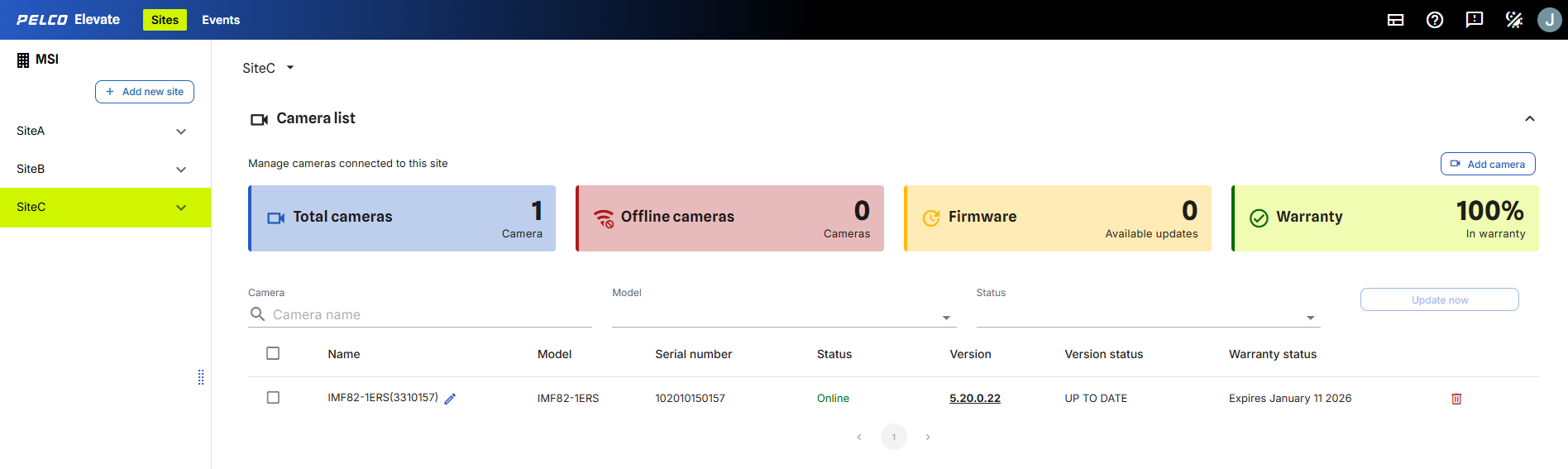
Figure 1: The Camera list shows a list of the site's cameras.
At the top of the Camera List, you can find the number of cameras, the number of offline cameras, the number of cameras that can upgrade firmware and the percentage of cameras within warranty.
Check the list of cameras for the following information:
-
Name: the camera's name.
-
Model: the camera model information.
-
Serial Number: the camera's serial number.
-
Status: camera's online or offline status.
-
Version: camera firmware version number.
-
Version Status: indicates whether the firmware is up to date or requires updating.
-
Warranty Status: indicates the camera's warranty information.