Event Viewer
You can view Events on the Events list page. Click the Events button on the top-menu to access the Event list page. The red circle on the Events button shows the number of unreviewed events.
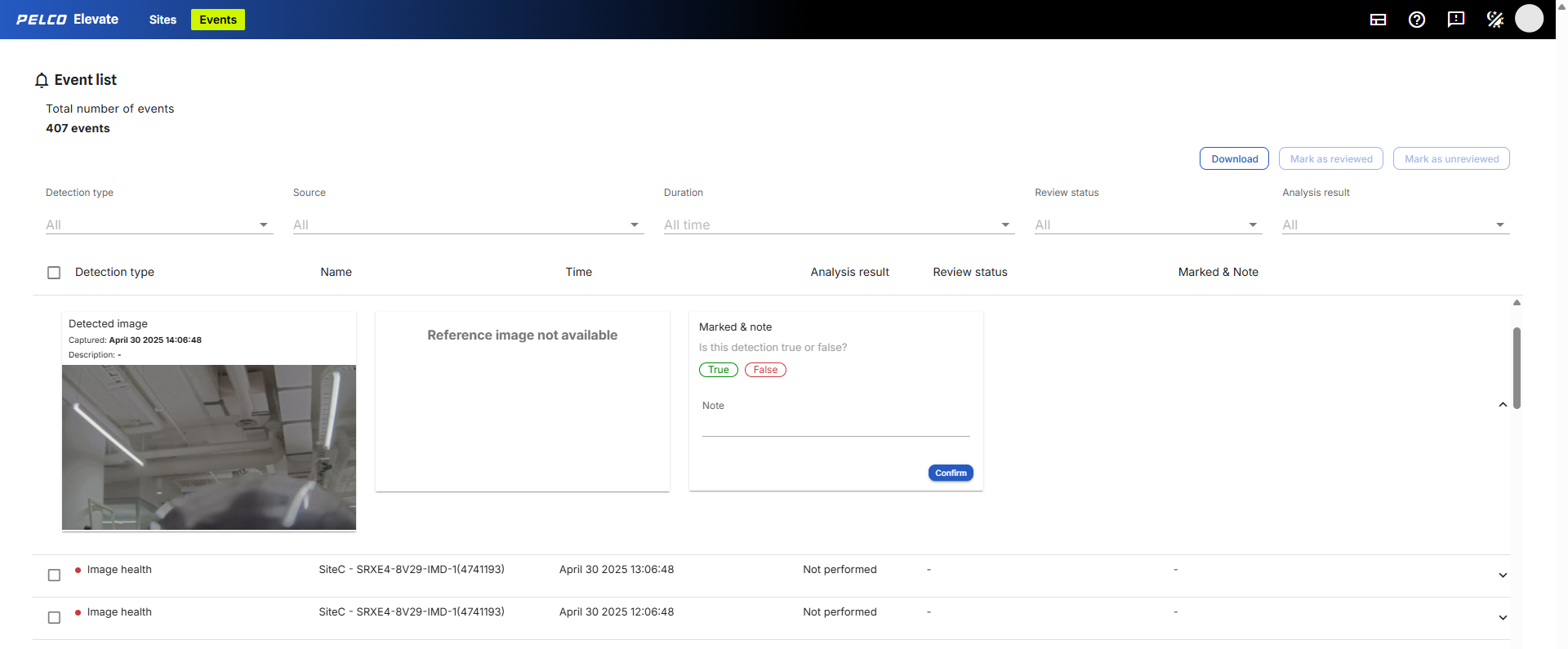
Figure 5: The Events list displays an Image Health event.
The following event information is available on the Events list:
-
Detection type: shows the type of detection that triggered the event.
-
Name: shows the event name.
-
Time: shows the date and time of detection.
-
Analysis result: shows whether Elevate determined the Event as Valid or Invalid.
-
Review status: shows the username and the date and time when the Event was reviewed.
-
Marked & Note: shows whether the user marked the Event as True or False and their notes.