Tasks
On the Tasks page, you can view the list of background tasks and restore previous settings.
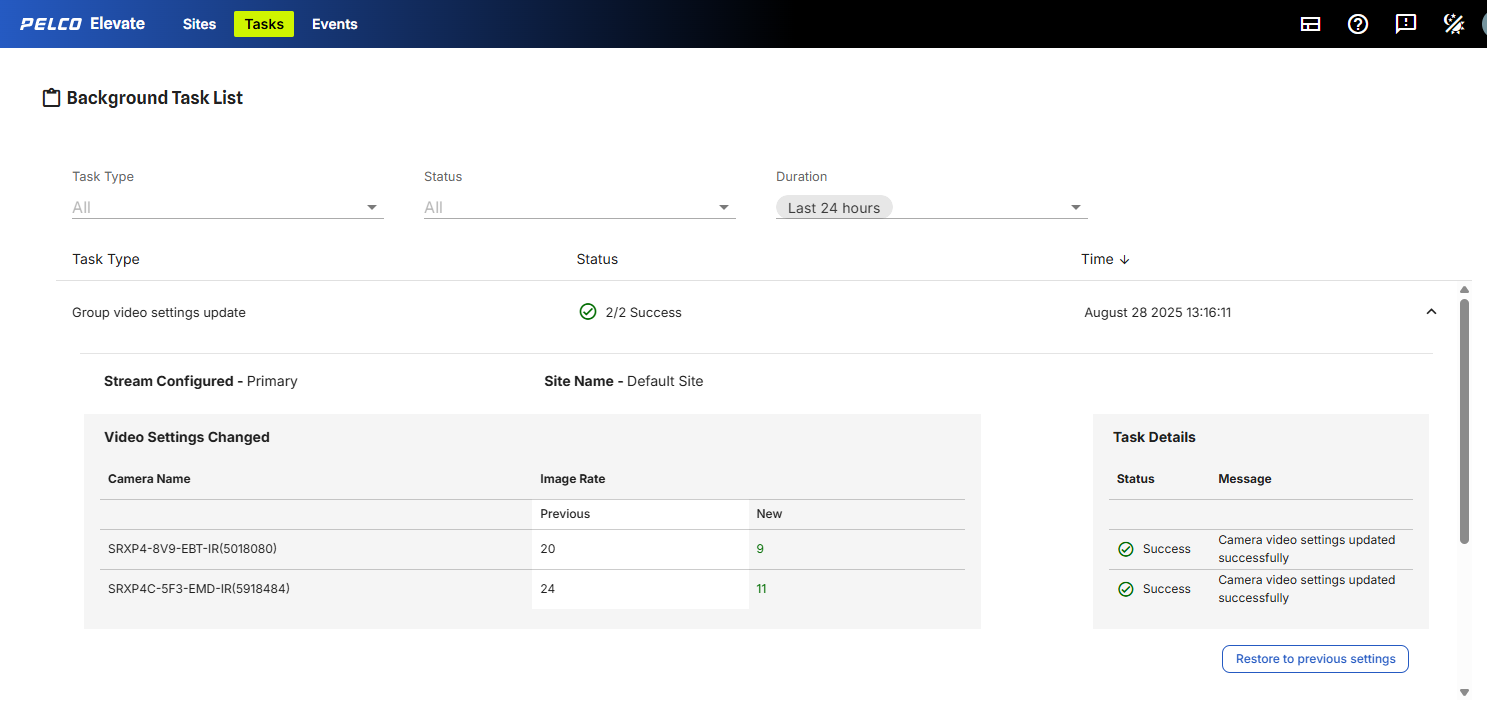
Figure 4: The Background Task List page displays task information.
Refer to the Background Task List for the following information:
-
Task Type:
-
Pull video settings: Users can pull video settings information from the camera.
-
Auto pull video settings: Elevate will automatically pull video settings information from the camera.
-
Update video settings: Video settings configured in Elevate will be applied to the camera.
-
Group video settings update: Video settings configured in Elevate will be applied to the group of cameras.
-
-
Status:
-
Pending: The task has not been completed yet.
-
Success: The task has been successfully completed.
-
Fail: The task was not completed successfully.
-
Completed with Errors: There were errors when completing the task. See Task details for information.
-
-
Time: the time that the task was completed.